Nursling app icon

Nursling

Breastfeeding Tracker · iPhone & Apple Watch

One tap.
No timers. No fuss.

A breastfeeding tracker built for one moment: 3am, one hand free, a baby in the other arm. It answers the only two questions that matter — which breast comes next, and how long since the last one — and records a nursing in a single tap.

Coming to the App StoreSee how it works

Free for your first 50 nurslings. A one-time unlock after that — never a subscription.

Private by design

The premise

A parent at 3am should not have to navigate, confirm, or decide.

Most baby apps are built for the daytime version of you — the one with two free hands, a clear head, and patience for a form. Nursling was scoped down until only the 3am version was left. Everything that asked you to think got cut: no session type picker, no confirmation sheet, no "which side?" question, because the app already knows.

1tap to start a nursing
0accounts, servers or trackers
6places you can start one from
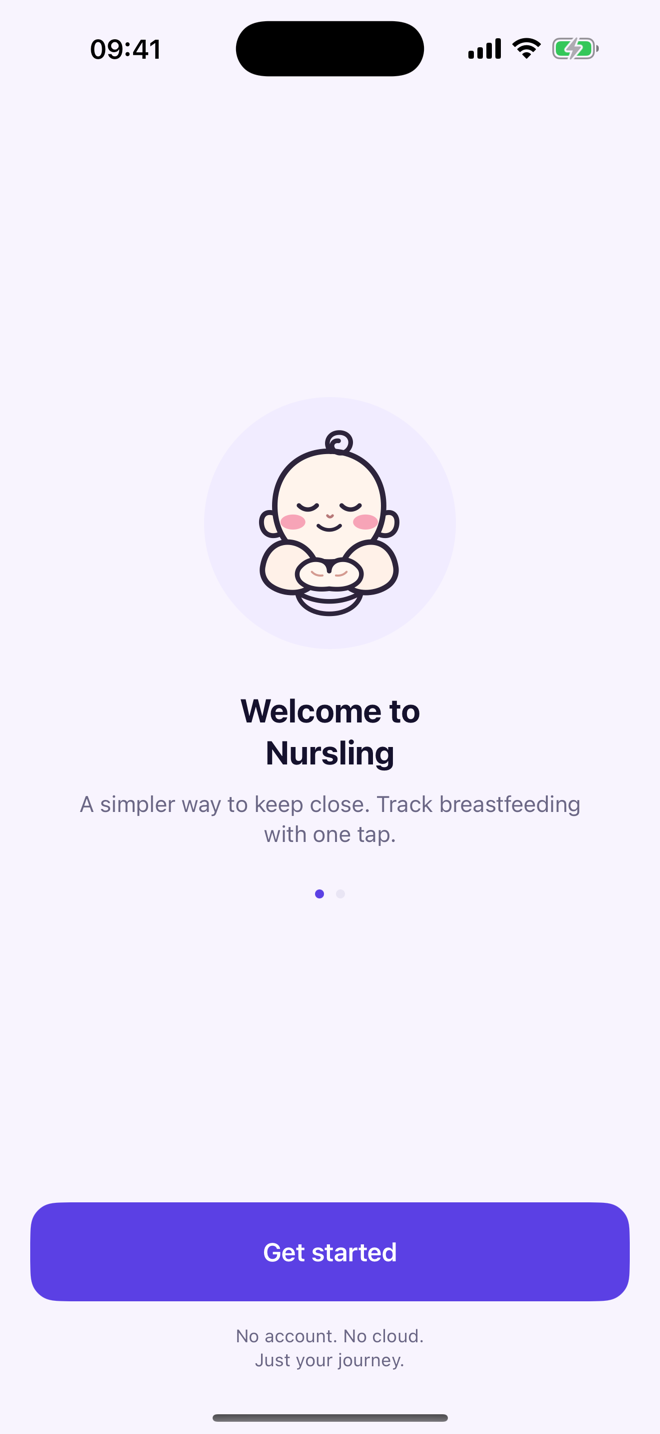
Nursling welcome screen reading "A simpler way to keep close. Track breastfeeding with one tap." and "No account. No cloud. Just your journey."
What it does

Narrow on purpose.

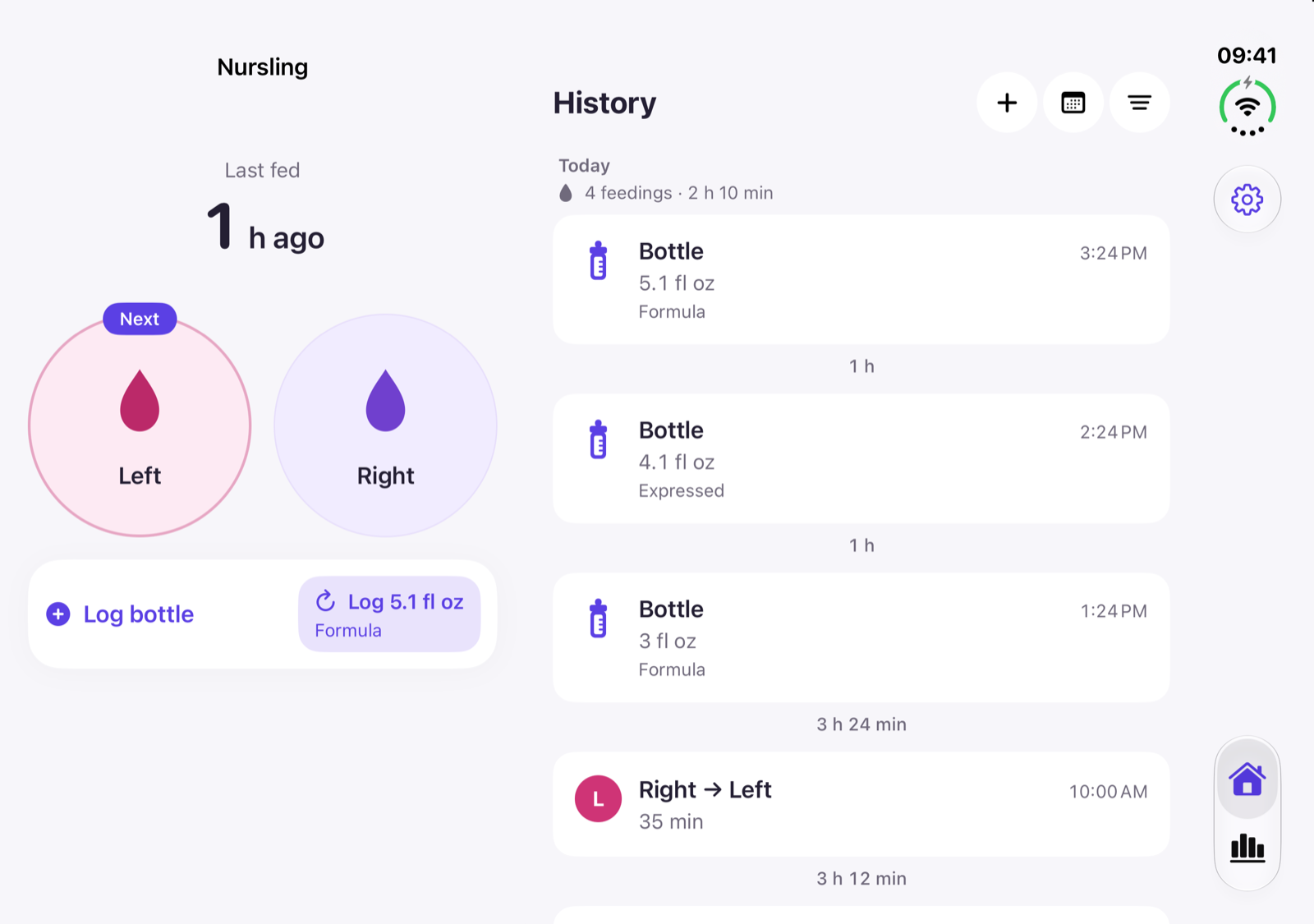
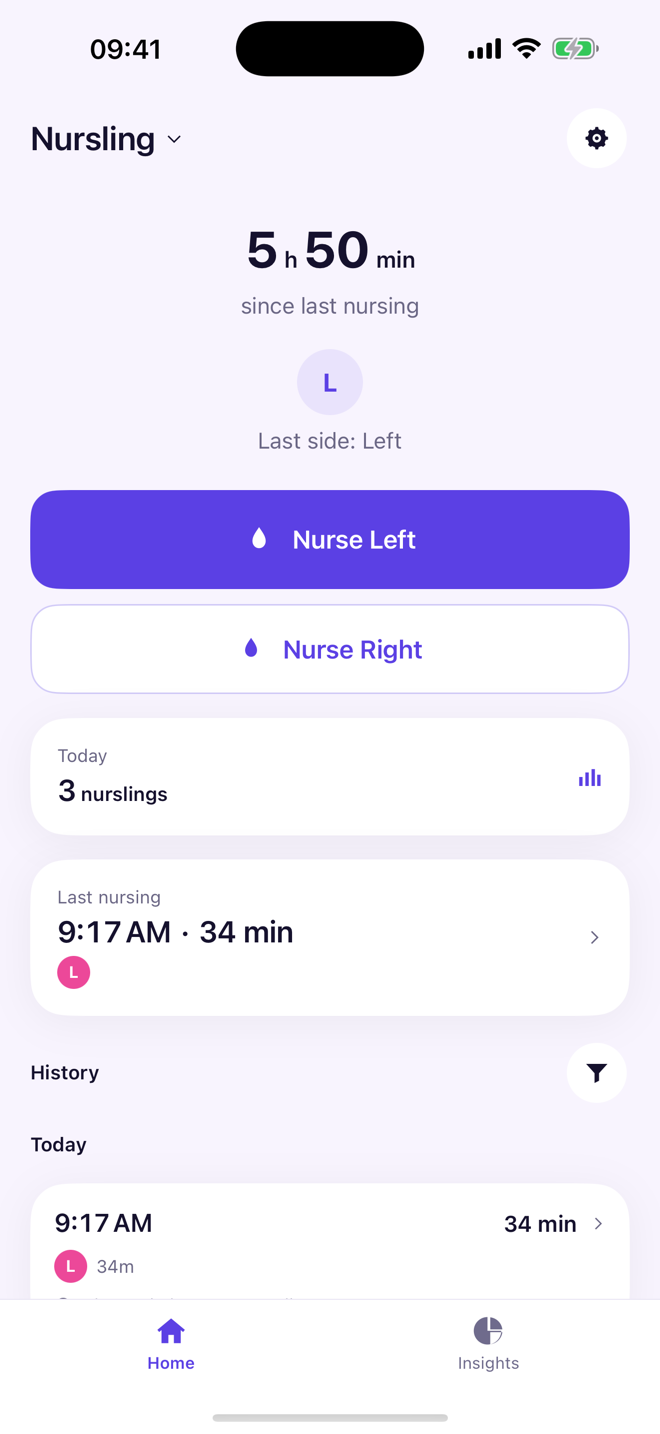
Nursling home screen showing time since the last nursing and the Nurse Left button
One tap

The button is already on the right side.

Open Nursling and the primary button is set to the breast that comes next. Tap it and you are tracking. No confirmation screen, no dialogs, nothing to dismiss.

  • Starts you on the breast you finished on last time
  • Switch sides mid-session and it still counts as one nursing
  • A distinct haptic for every action, so you can feel the confirmation
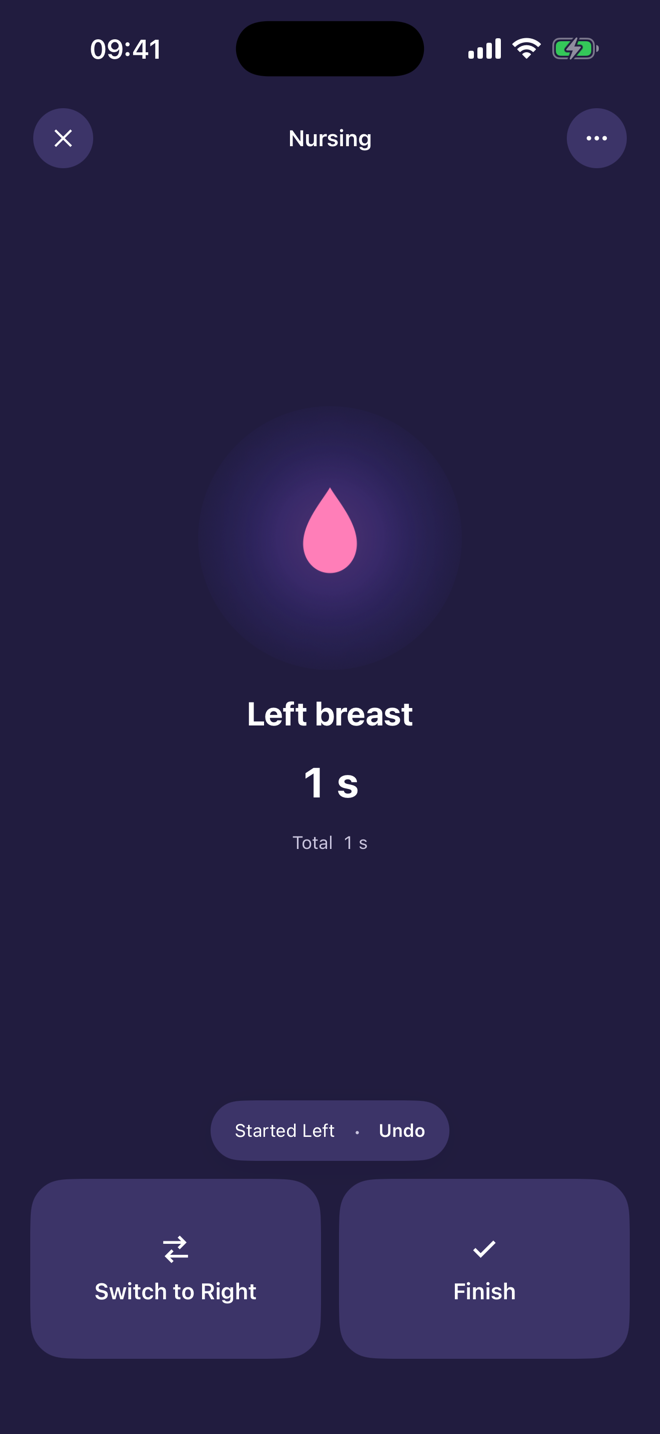
Nursling active nursing screen showing the left breast and a running timer on a dark background
Built for night

A screen that will not wake anyone.

The active nursing screen goes dark, drops to one glyph and one timer, and puts Switch and Finish where a thumb already is. Dark from 9pm to 5am, even if the phone is in light mode.

  • Buttons big enough to hit without looking
  • Undo sits beside the timer, for the tap you did not mean
  • A Live Activity shows the current side, and ends the moment you finish
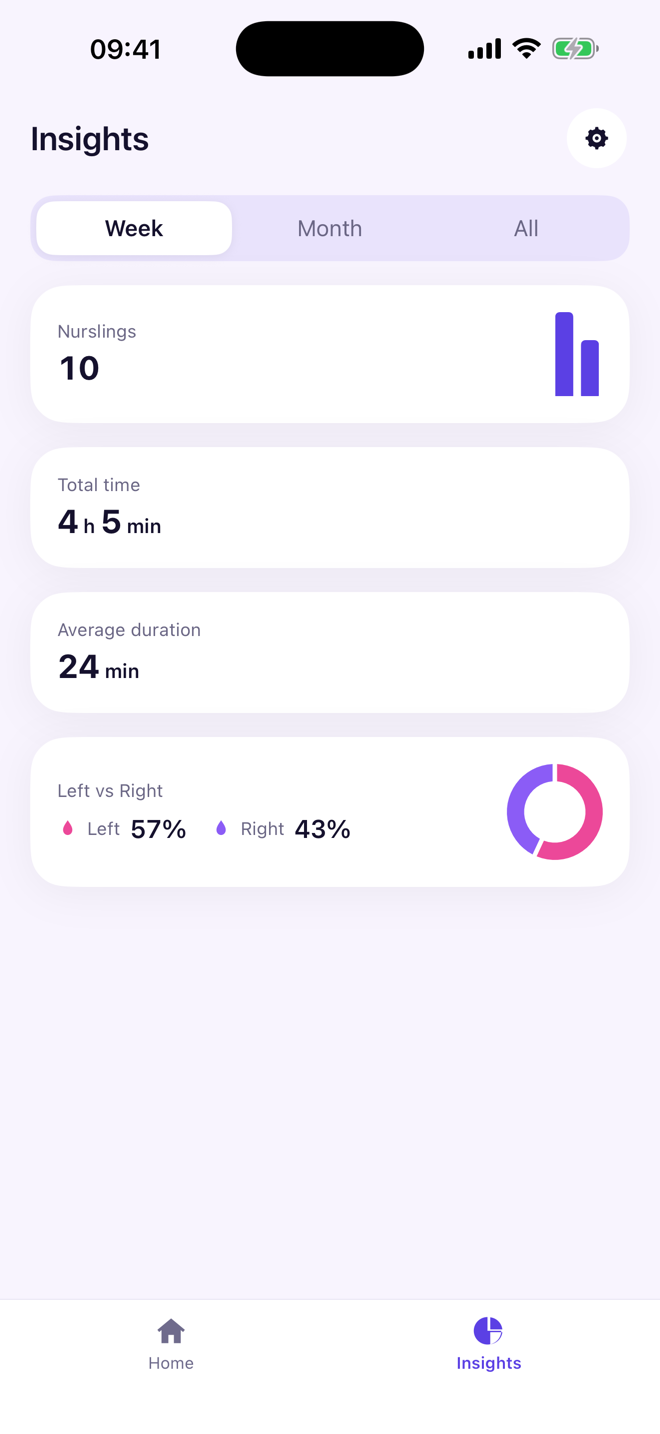
Nursling insights screen showing nursing count, total time, average duration and a left versus right chart
Insights

See the pattern, not a spreadsheet.

Week, month and all-time views answer the questions a parent actually asks: how many, how long, and whether the sides are staying balanced.

  • Time between nursings measured start to start — the number you want at a glance
  • Average duration and total time per period
  • Left versus right balance, so you notice a drift early
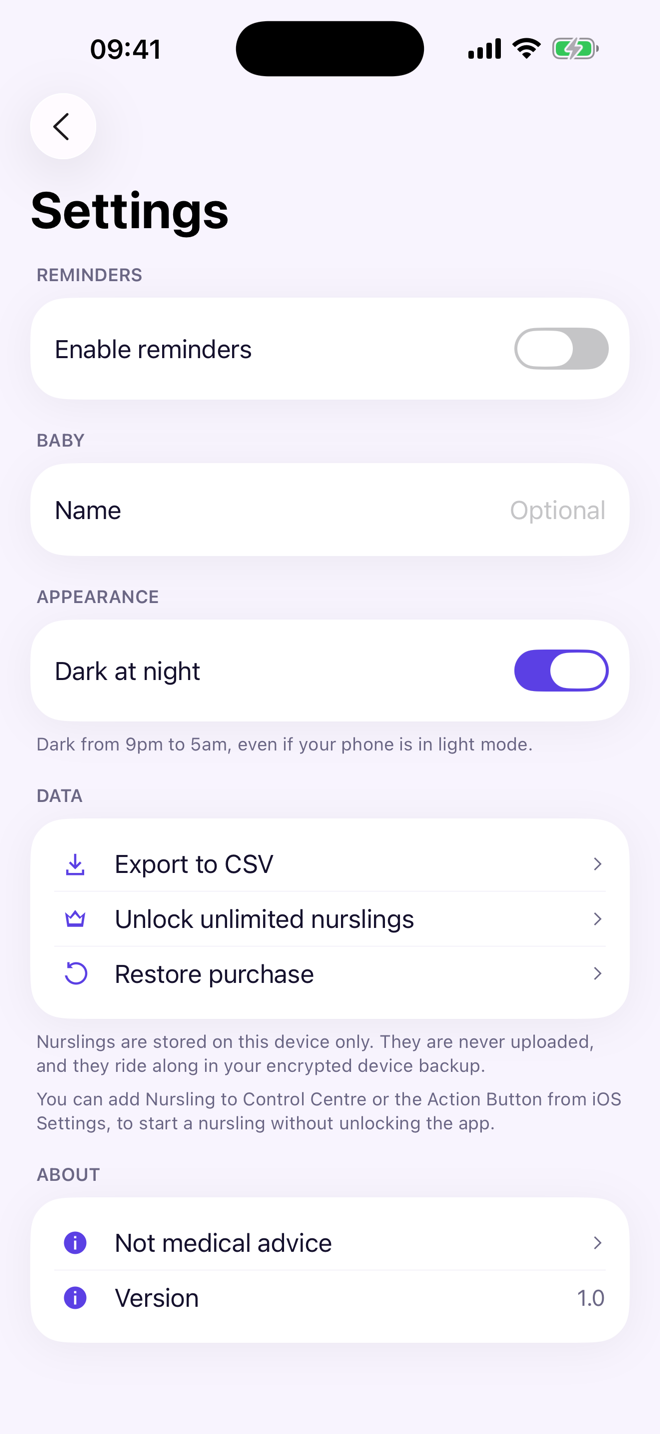
Nursling settings screen showing reminders, dark at night, CSV export and privacy notes
Private by design

The data never leaves the phone.

Nursling has no account, no server and no analytics. Sessions live in a local store and ride along in your encrypted device backup. Export to CSV whenever you like — that stays free forever.

  • No sign-up, no email, no cloud sync
  • No ads, no third-party SDKs, no tracking of any kind
  • A CSV export you own, free whether you buy or not
Anywhere

Track without opening the app.

The fastest interaction is the one that never reaches the app. Nursling ships the same intent to every surface iOS gives it, so a session starts wherever your hand already is.

Home Screen widget

Start a nursing straight from the widget, without opening the app.

Control Centre

Add the control and start one from a locked phone in a single swipe.

Action Button

Map it once, and the side you need is one squeeze away.

Siri & Shortcuts

Ask, and the session starts — your hands stay where they are.

Live Activity

The running side and timer on the Lock Screen and in the Dynamic Island.

Apple Watch

A companion app for the nights the phone is across the room.

Pricing

One purchase. No subscription.

Free

Your first 50 nurslings

  • Every feature, unmodified
  • Widget, Control Centre, Siri and Live Activity
  • Insights and full history
  • CSV export

Unlimited

A one-time purchase

  • Unlimited nurslings, forever
  • No subscription, no renewal
  • Your history stays readable whether you buy or not
  • CSV export stays free either way
Behind the build

Designed, built and shipped solo.

Nursling is a personal product by David Ferreira — the domain logic, the SwiftUI app, the widget extension, the watch app, the storefront pipeline and the release automation.

Platform

  • Swift 6
  • SwiftUI
  • iOS
  • watchOS

System surfaces

  • App Intents
  • WidgetKit
  • Live Activities
  • Control Center

Data

  • Local SQLite event store
  • CSV export
  • No network layer

Delivery

  • StoreKit 2
  • 21 localizations
  • Automated storefront capture
  • asc CLI releases
Get Nursling

Built for the nights you will not remember.

Nursling is on its way to the App Store. It ships for iPhone and Apple Watch, in 21 languages.

Coming to the App StoreAsk a question

Nursling is a log, not medical advice. For questions about feeding, weight gain or supply, talk to your pediatrician.